Private medical translation for iPhone and iPad

Talk with your doctor in your own language.

Clinical Voice translates spoken conversations face to face on your iPhone or iPad. Speak or type, and the other person reads your words in their language on their side of the screen, while you read theirs on yours.

Free to download, with your health card free for everyone. Speech and translation never leave your device.

  • Doctor visits and the ERAnd video visits, in your language.
  • PharmacyMedicines, doses and questions, understood.
  • Pediatrics, dental, women’s healthAnd mental health visits too.
  • 20 languagesIncluding Spanish, French, Arabic, Chinese and Hindi.
Talk

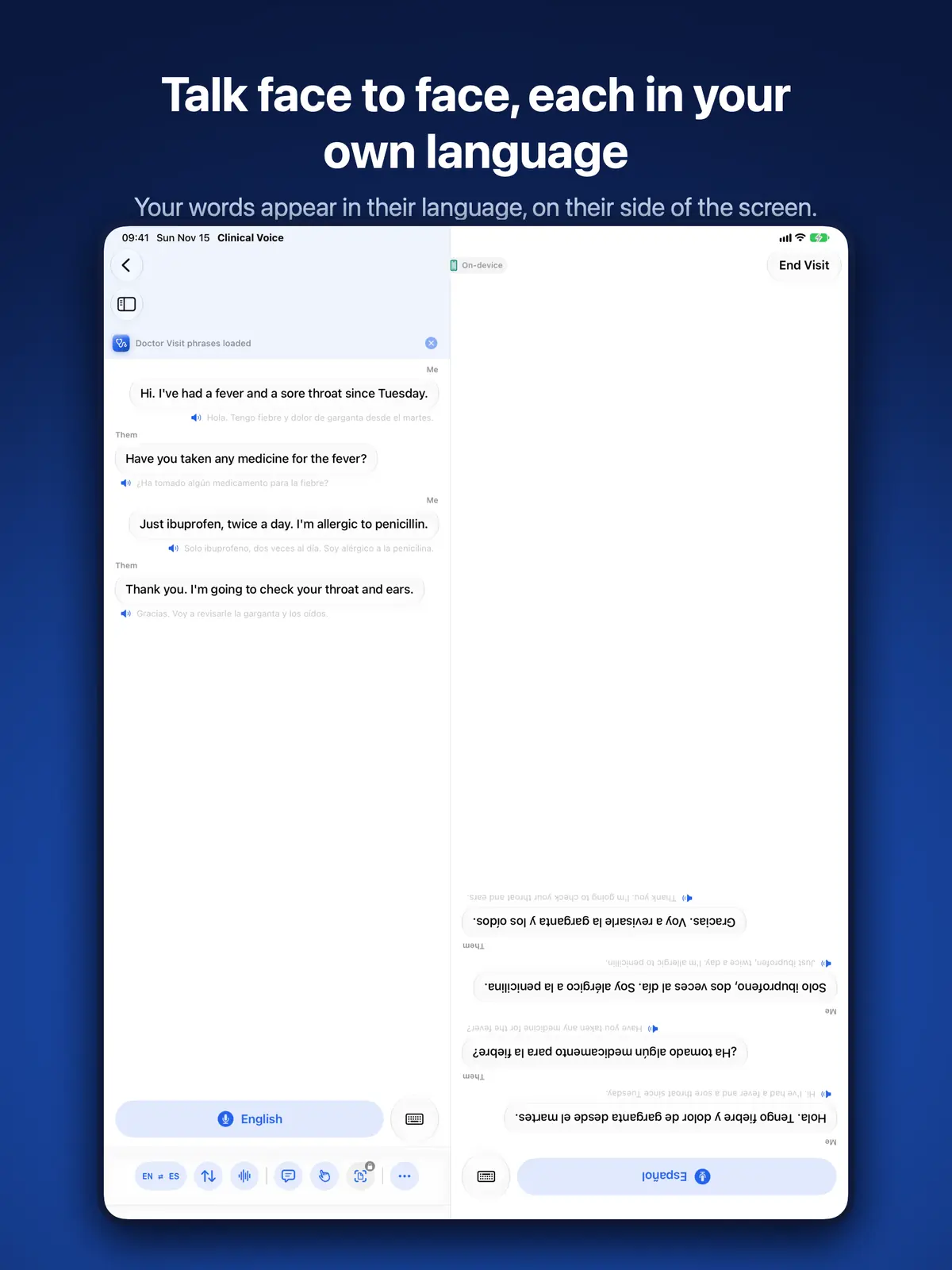
Talk face to face, each in your own language.

Your words appear in their language, on their side of the screen.

  • Made for doctor visits, the ER, pharmacy, pediatrics, dental, women’s health, mental health and video visits
  • Read any line full screen, or hear it spoken aloud
  • 20 languages, including Spanish, French, Arabic, Chinese, Vietnamese, Hindi, Ukrainian and Turkish
  • Translation uses Apple’s free on-device language packs, downloaded once per language
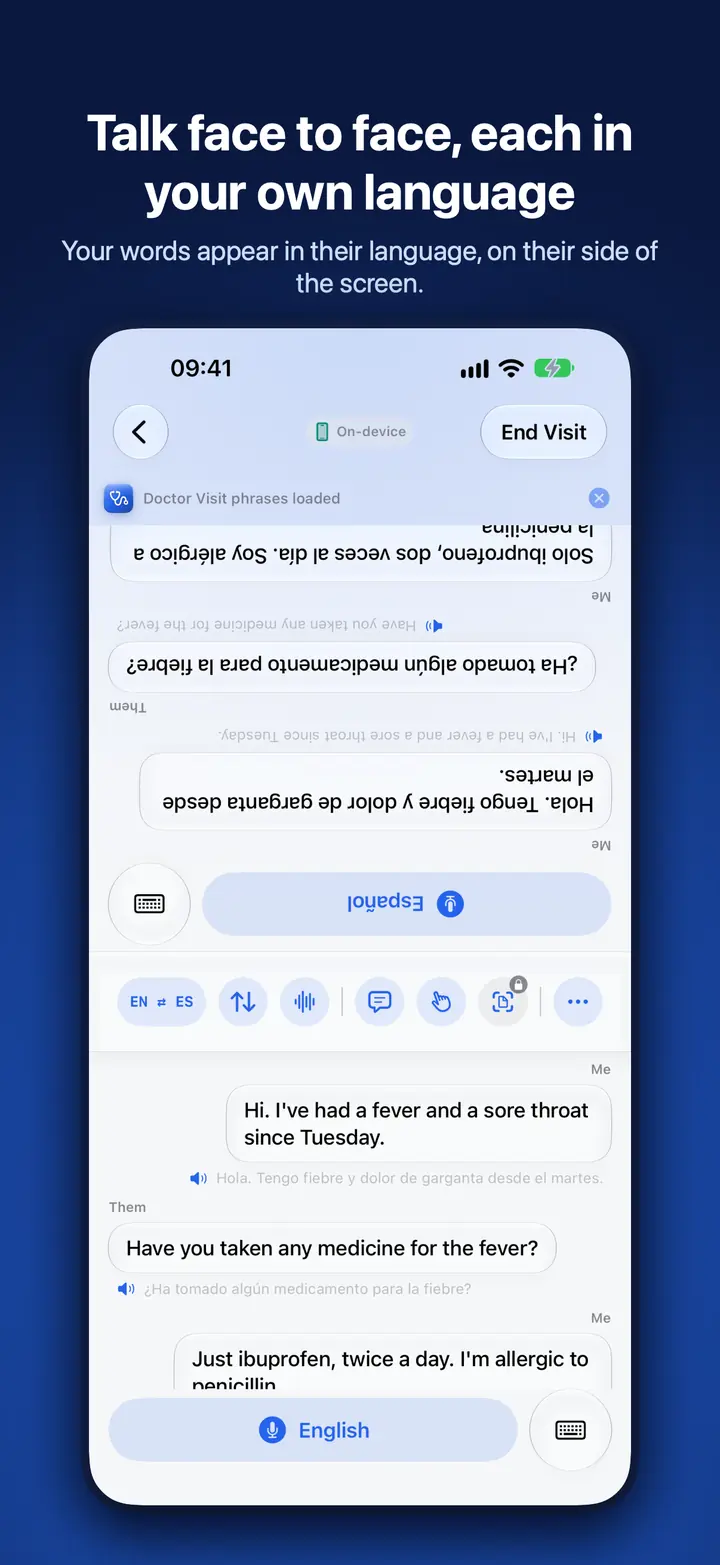
A Clinical Voice conversation: the patient’s English at the bottom, the doctor’s Spanish upside down at the top, each translated for the other.
Health card

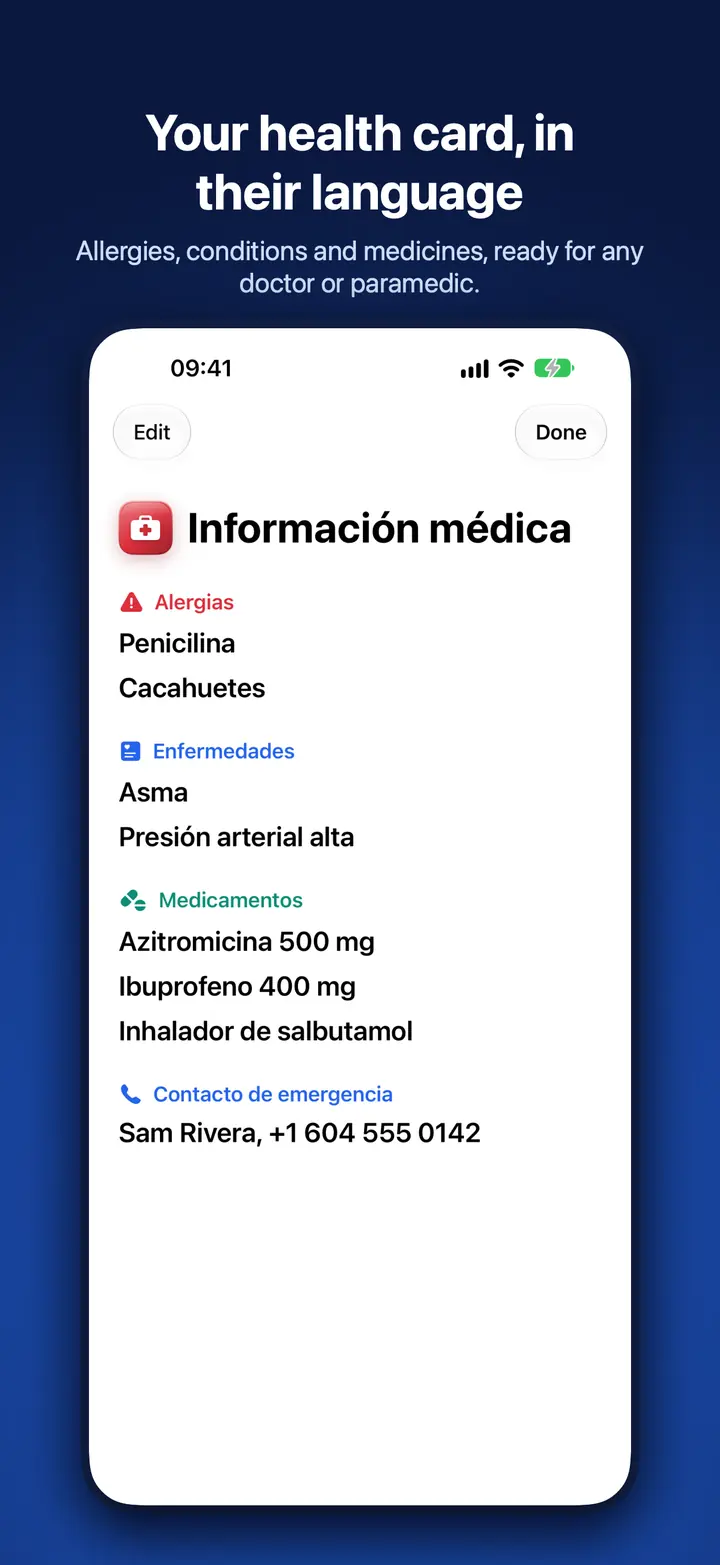
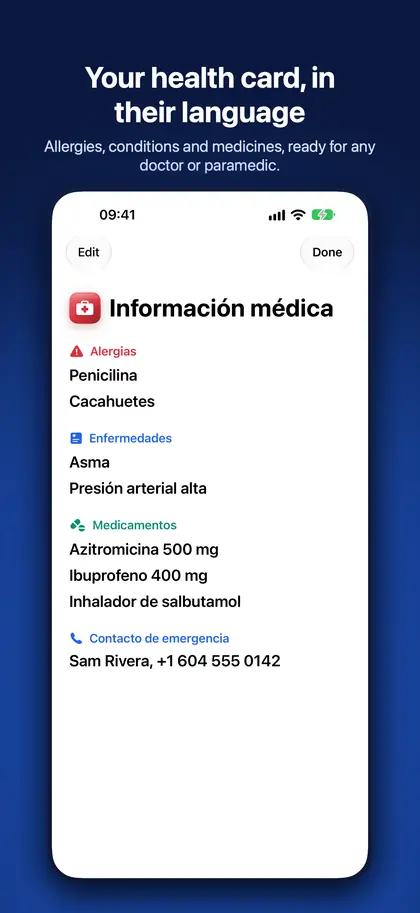
Your health card, in their language. Free.

Allergies, conditions and medicines, ready for any doctor or paramedic.

  • Your allergies, conditions, medicines and emergency contact on one card
  • Show it to a doctor, nurse or paramedic, translated into their language on your device
  • Medicine names and phone numbers stay exactly as you wrote them
A Clinical Voice health card shown in Spanish: allergies, conditions, medicines and an emergency contact.
Say it

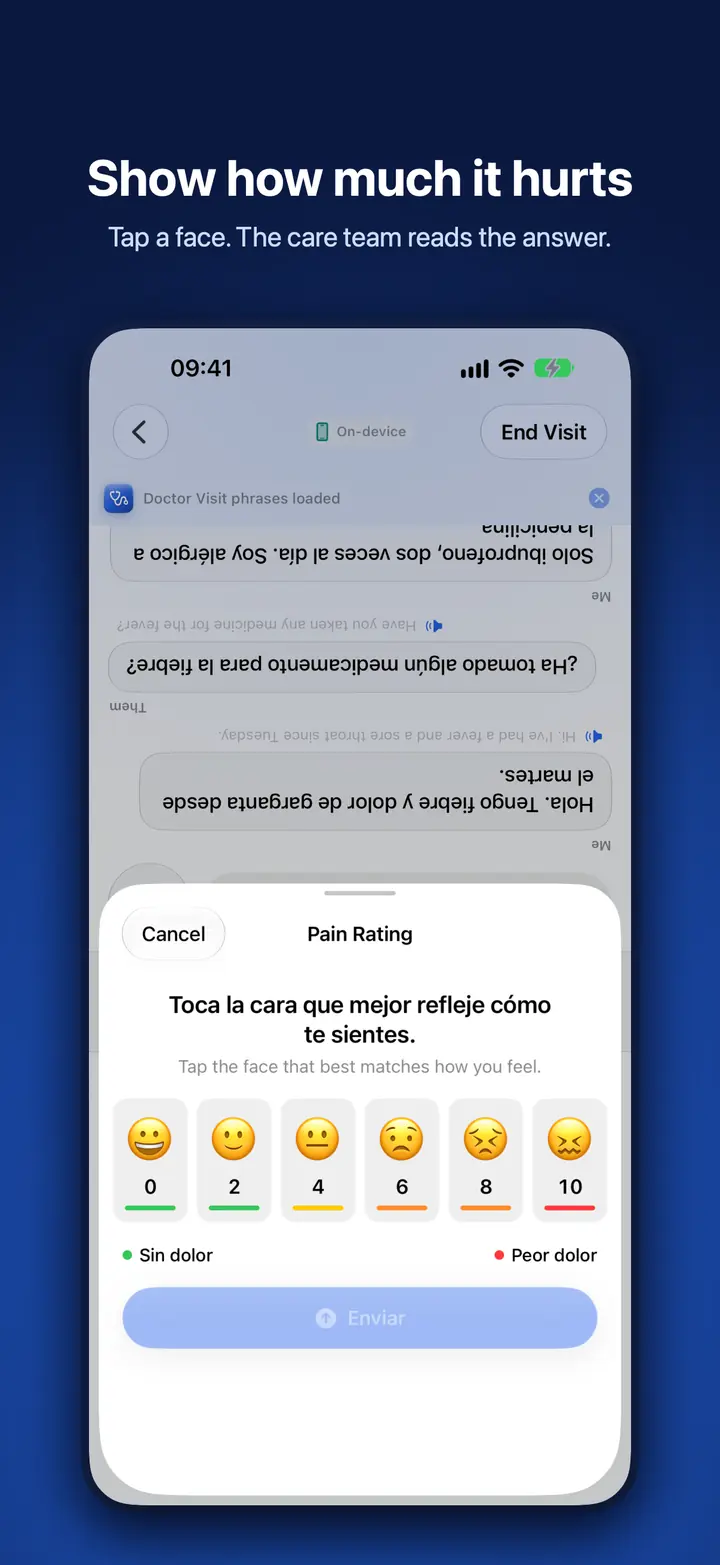
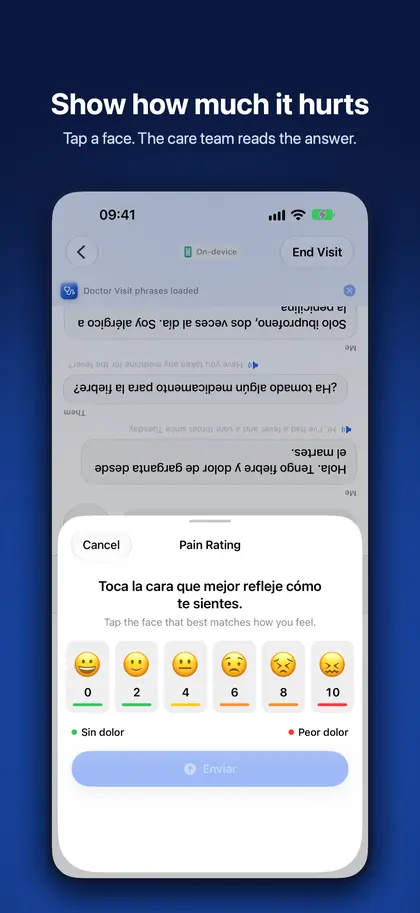
Show how much it hurts.

Tap a face. The care team reads the answer.

  • A pain scale and body map the patient taps, in their own language
  • Ready-made phrases for each kind of visit, in your language
  • Write your questions before the appointment and ask them in one tap
Clinical Voice’s pain scale in Spanish: six faces from no pain to the worst pain, for the patient to tap.
Pro

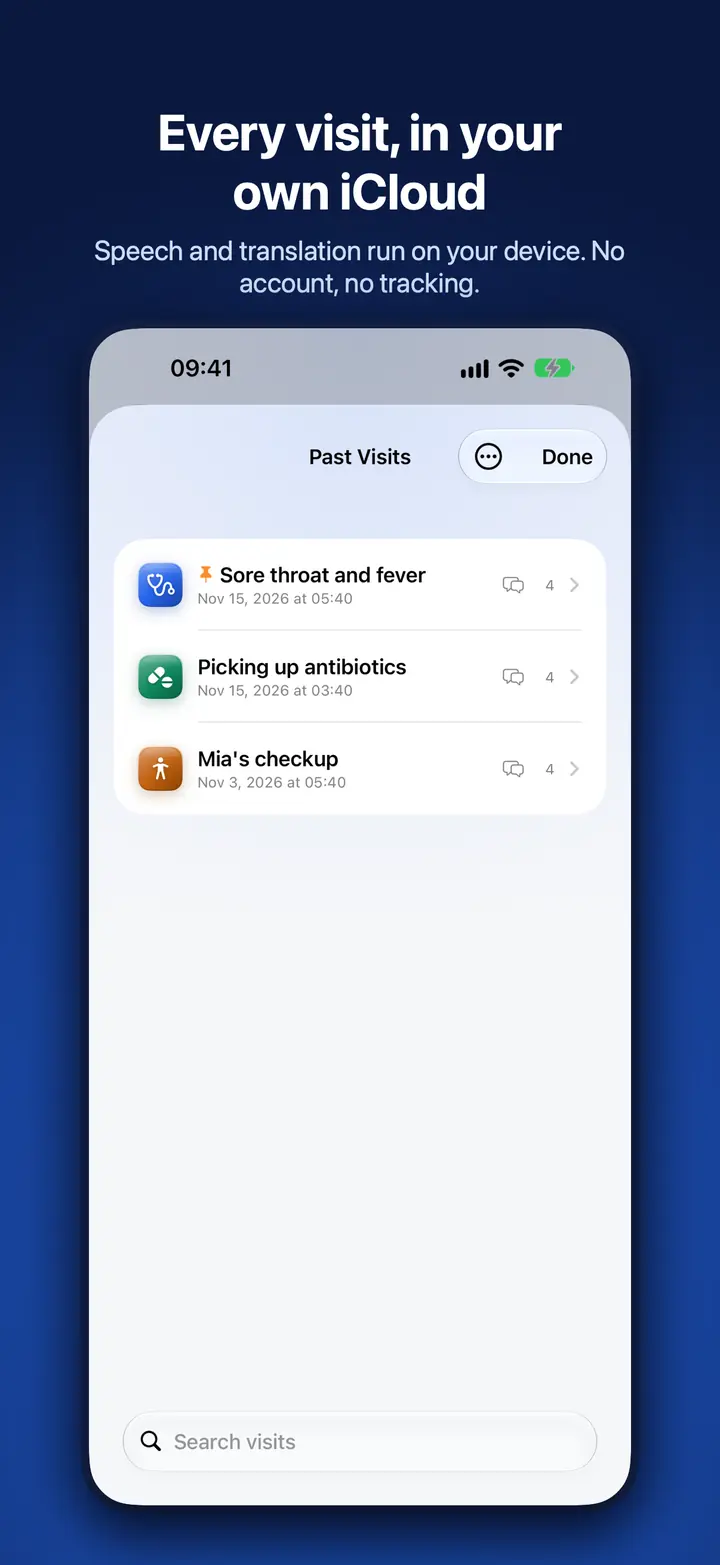
Every visit, in your own iCloud.

Clinical Voice Pro keeps your visits, and what was said in them.

  • Keep every visit, synced to your own private iCloud
  • Visit recaps: key points, medicines and next steps*
  • Share a formatted visit summary with family by email or message
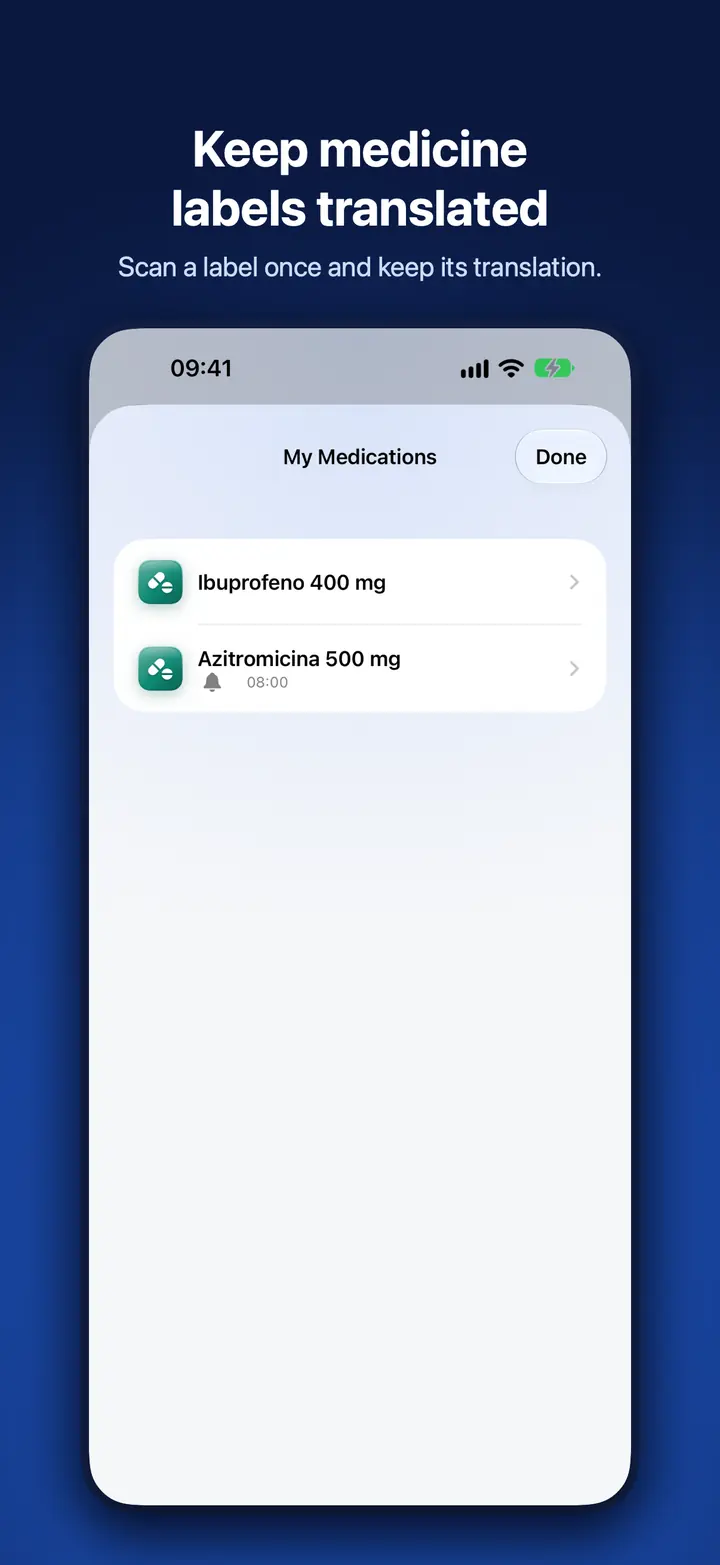
  • Scan medication labels and keep their translations
  • Daily medication reminders
Clinical Voice’s past visits: a sore throat and fever visit, a pharmacy visit for antibiotics, and a child’s checkup.
For healthcare professionals

Healthcare mode.

Locked with Face ID, Touch ID or your passcode, with a translated patient disclosure before each session.

Phrasebanks

Specialty phrasebanks

For emergency, pediatrics, OB/GYN and general practice.

Audit trail

A tamper-evident audit trail

That you can export. It records events, never conversation text.

SOAP · FHIR

Notes and discharge summaries

SOAP note drafts, HL7 CDA and FHIR export, and translated discharge summaries.*

* Recaps, SOAP notes and discharge summaries need a device with Apple Intelligence.

Important. Clinical Voice is a communication aid. It is not a medical device, does not give medical advice, and is not a substitute for a qualified medical interpreter. Translations are automatic and can be wrong. Confirm important information with a qualified interpreter. In an emergency, call your local emergency number.

Private by design

What you say stays on your device.

Speech and translation run on your device and are never sent to us. On the App Store, Clinical Voice’s privacy label reads “Data Not Collected”.

  • Speech stays on your device Recognised and translated on the device. No audio is recorded or kept.
  • No account, no tracking No ads, no analytics, and no third-party code that collects data.
  • AI on your device Recaps and SOAP drafts use Apple’s on-device model, never Apple’s cloud model.
  • Your private iCloud Saved visits sync only to your private iCloud, and we can’t see them.
  • Healthcare mode keeps nothing Patient conversations live in memory only, and are erased with each new patient.
  • Yours to delete Delete visits, phrases or medicines in the app, or stop saving visits at all.
Clinical Voice’s My Medications: medicines scanned from their labels, kept with their translations.
iPhone and iPad

Bigger screen, clearer conversation.

On iPad, each side of the conversation gets room to read.

Clinical Voice on iPad: a face-to-face conversation, with each side’s words in their own language.
  • iPhone and iPadFace to face, on one screen.
  • 20 conversation languagesEach needs Apple’s on-device language pack, downloaded once.
  • Hear it spokenAny line read aloud, or shown full screen.
Pricing

Free to talk.

Clinical Voice Pro keeps your visits and adds recaps, label scanning and reminders.

Clinical Voice

Free on the App Store

  • Face-to-face translated conversations
  • Your health card, free for everyone
  • No account, no ads

Clinical Voice Pro

Monthly, yearly (with a 7-day free trial), or a one-time lifetime purchase

  • Keep every visit, in your private iCloud
  • Visit recaps*
  • Share a visit summary with family
  • Scan medication labels
  • Daily medication reminders

Payment is charged to your Apple Account. Subscriptions renew automatically unless cancelled at least 24 hours before the end of the current period. Manage or cancel in Settings › your name › Subscriptions. Prices for your country are on the App Store.

Help and support

Questions, or a translation that looks wrong?

Send us a message, and please don’t include patient names or other personal health details. Medical emergency? Call your local emergency number. We can’t provide medical help.

Contact support
Translation doesn’t work, or asks to download

Each language needs Apple’s on-device language pack, downloaded once over the internet. In the app, follow the download prompt, or check iOS Settings › Apps › Translate › Languages. Speech for some languages also needs iOS Settings › General › Keyboard › Dictation Languages.

How accurate are the translations?

They’re made by Apple’s on-device translation and can be wrong. For important medical information, confirm with a qualified medical interpreter. See our Terms of Use.

Why don’t I see SOAP notes or visit recaps?

They need Apple’s on-device language model, which only some iPhone and iPad models have. On other devices these features are hidden.

How do I delete my data?

Delete visits, phrases or medications in the app, or delete the app. iCloud copies can be removed in iOS Settings › [your name] › iCloud › Manage Account Storage. See the Privacy Policy.

How do I cancel or get a refund?

Purchases are handled by Apple. Cancel in iOS Settings › [your name] › Subscriptions. Request a refund at reportaproblem.apple.com or from the app’s Settings.